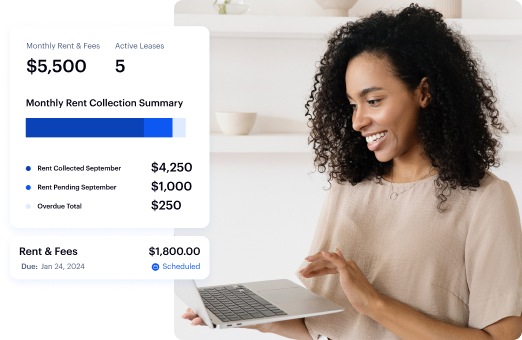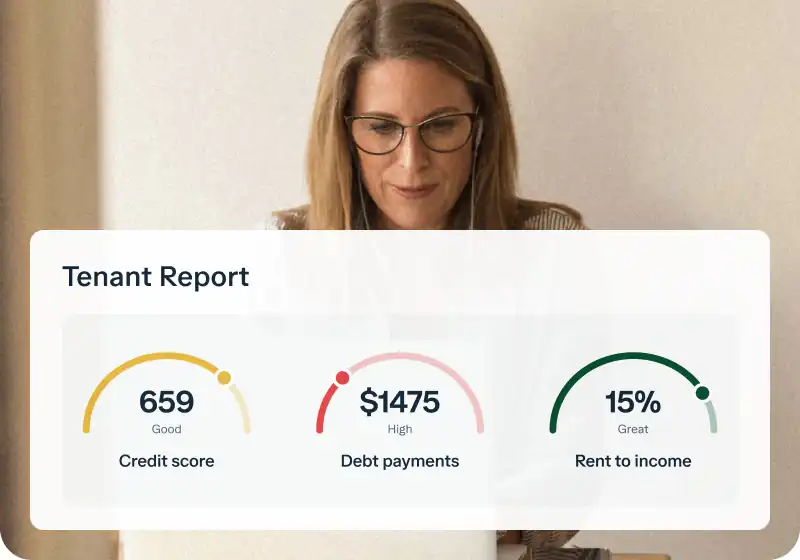
If you’re wondering how to collect rent from long-distance tenants, online payment systems are the easiest option. They put money in your account faster, track payments automatically, and organize everything. No wonder over half of renters prefer paying online.
The question is, which system is best for property owners in 2026? We’ll cover the top options so you can get paid without the headache.
Key takeaways
- Online rent collection is becoming the standard, with most renters preferring digital payments.
- Traditional rent collection methods like cash and checks are slow, risky, and require more effort.
- Automated rent payment systems reduce late payments, track income, and simplify bookkeeping.
- Baselane is a free, all-in-one rent collection and financial management solution that is ideal for every portfolio size.
What is a rent payment system?
A rent payment system is a tool that allows you to collect rent online. It replaces cash, checks, and manual bank transfers with an automated process that tracks payments and sends tenant reminders. The system deposits funds directly into your account.
Let’s say you use Baselane (an online rent payment system). At the start of the month, the system automatically sends a reminder to tenants. The tenant logs in, pays rent with a bank transfer or credit card, and the system deposits the funds into your account.
If the tenant is late, Baselane applies a late fee and sends another reminder, all without you lifting a finger.
Benefits of using a rent payment system
A rent payment system takes the hassle out of rent collection and provides the following benefits:
Automated rent collection
It’s hard to track down rent every month, remind tenants, and wait for checks to clear. What if rent shows up in your account and is tracked automatically?
With a rent payment system, tenants set up recurring payments on a specific date each month through the landlord’s portal. The system automatically withdraws rent, notifies both parties, and applies late fees if needed.
Enhanced convenience
Tenants shouldn’t have to rush to the bank or mail a check just to pay rent. With an online rent payment system, they can pay anytime, from anywhere, using their preferred method (ACH, debit, or credit card). That’s why renters who pay online report a 77% satisfaction rate.
Some rental platforms allow landlords to generate rent rolls, certificates of rent paid, and rent verification forms.
Improved cash flow management
Everything becomes easier when you can track rent payments in real time and generate automated reports. A rent payment system helps you monitor income, expenses, and net cash flow without manual bookkeeping.
Reduction in late payments
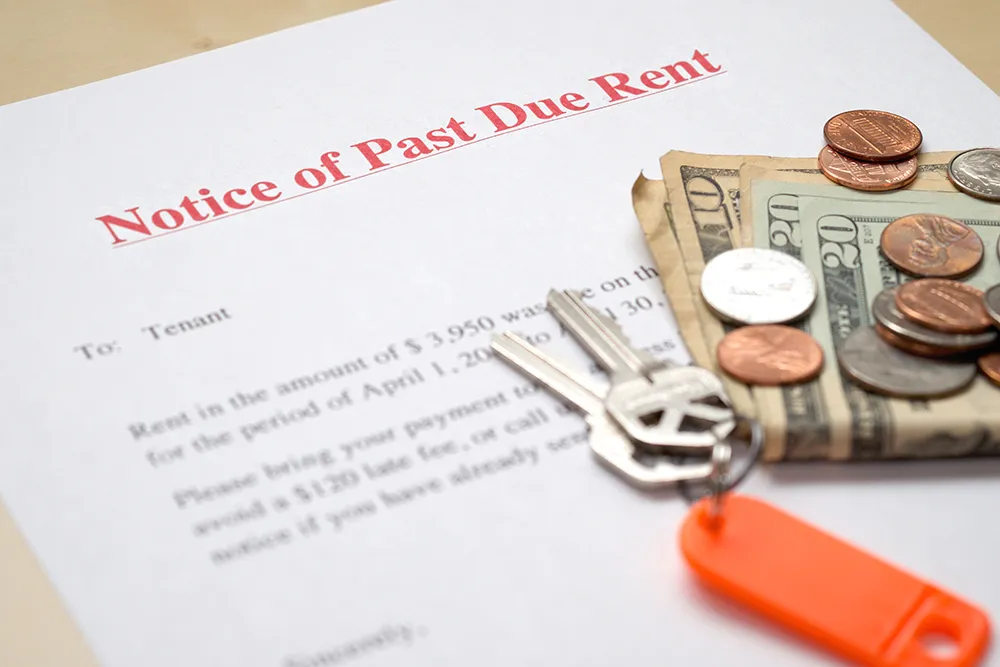
Late rent is a common problem. As of 2024, 11.6% of U.S. renters were behind on payments. A rent payment system helps reduce late rent by automating reminders and applying late fees. With features like auto-pay and payment notifications, tenants are less likely to forget their due dates.
Legal and tax compliance
Having digital records of all transactions makes tax filing easier and ensures that landlords are prepared for audits. A good system also shows that the landlord values efficiency and modern conveniences.
Time savings
Collecting rent manually takes time, whether meeting tenants in person, waiting for checks to clear, or making trips to the bank. Automated rent payment services eliminate these hassles. They can process payments within 24-48 hours and keep everything organized.
Landlords who switch to digital rent collection can also save three to four hours per month that were previously spent on fillable rent ledgers and creating reports.
Traditional vs. preferred rent collection methods in 2026
Digital payments are taking over. Automated Clearing House (ACH) transfers, direct bank-to-bank payments, now make up 64.8% of rent transactions on digital platforms. Another 22.4% of renters use debit and credit cards to pay rent.
Traditional rent payment methods
Before digital payments, most investors relied on cash, checks, and money orders to collect rent. While these methods worked for decades, they have some major downsides:
- Cash: Easy to accept but hard to track. There is no record unless the landlord manually logs it. Handling large amounts of cash can also be risky.
- Checks: Tenants must write and mail them (or drop them off), which takes time. If a check bounces, the landlord must wait longer to get paid.
- Money orders: Slightly safer than cash, but still requires a trip to the bank. Tenants also have to purchase them in person, which is inconvenient.
Preferred rent payment methods in 2026
Many investors are now moving away from cash and checks in favor of online rent solutions. The shift to digital payments isn’t limited to rent collection. People prefer paying bills digitally across the board. 42% of consumers now use online payment methods instead of cash or checks.
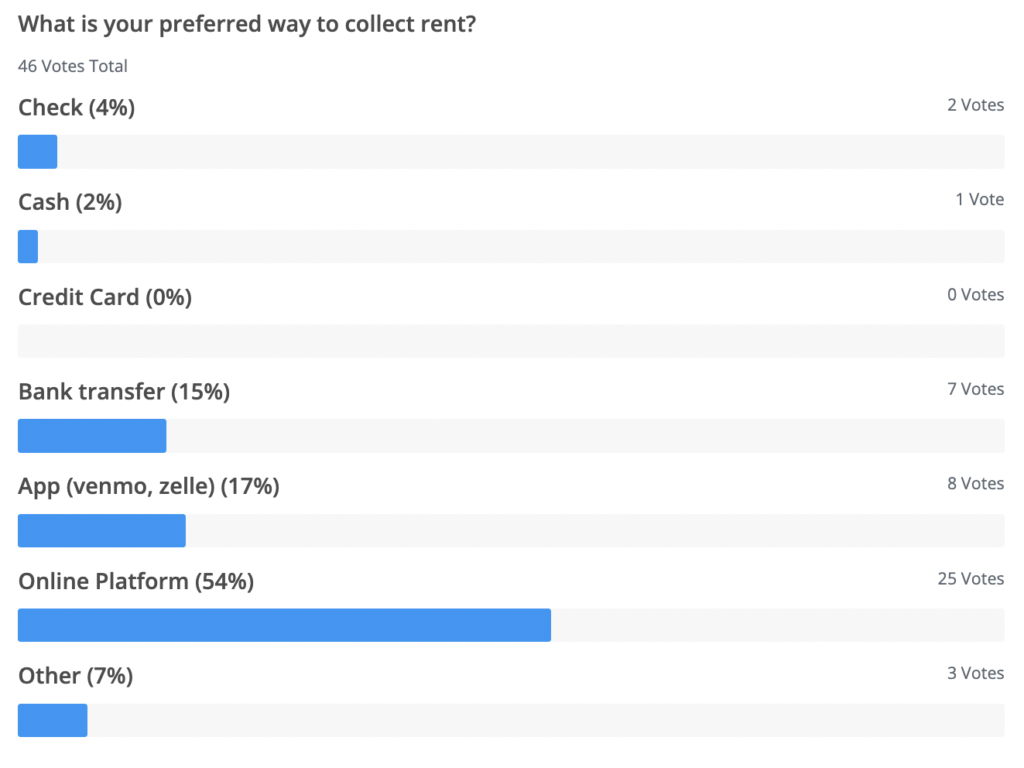
A recent Baselane survey shows how investors prefer to collect rent:
- 54% use online rent collection platforms.
- 17% accept app payments (Venmo, Zelle).
- 15% prefer direct bank transfers.
- Only 6% still use checks or cash.
Bank transfers (ACH) are usually the most affordable option, often free or with a small processing fee. On the other hand, credit and debit card payments incur higher costs, typically 2.5% to 3.5% per transaction.
Apps like Zelle have no fees but limit transfers to around $1,000 per day and $5,000 per month, which may not cover full rent payments for many tenants. Venmo treats rent as a business transaction, adding a 3% fee.
How much online rent payment processing really costs
ACH vs. debit vs. credit
Most rent payment platforms structure fees in one of two ways: the investor pays a flat monthly subscription fee (Buildium at $58+/month, AppFolio at $1.49/unit), or the platform charges no monthly fees, and tenants pay a small convenience fee per transaction (Baselane, Apartments.com).
Understanding which model fits your portfolio determines your true cost of rent payment processing.
Typical fee ranges across major platforms:
- ACH/bank transfer: $0–$2 per transaction
- Debit card: 1%–2.75% convenience fee
- Credit card: 2.75%–3.5% per transaction
Typical deposit timelines and what changes them
Standard ACH deposits take 2–5 business days on most platforms. Some systems offer expedited options. Same-day ACH is increasingly available through platforms connected to modern banking rails, but often carries an additional per-transaction fee.
Debit and credit card payments may be processed faster but come with higher fees. When you’re managing 10+ units, those per-transaction percentages compound quickly. If you’re collecting $15,000/month in rent and paying 3% in credit card fees, you pay $450/month ($5,400/year) in processing fees alone.
Key features to look for in rent payment software
Online rent payment services are the best way to collect rent as a landlord. Here are the key features you should look for in rent payment software:
Automated payment processing
Automation is helpful, especially when you manage multiple properties. A good rent payment system should handle rent collection with minimal effort. Here’s what that looks like:
- Auto rent collection (set up recurring payments)
- Payment notifications for tenants and investors
- Automated reminders
- Auto late fees processing
Multiple payment options
A good rent payment system should offer flexibility. Tenants should be able to pay using ACH transfers, debit cards, or credit cards.
Explore various rent collection techniques to find what works best for your tenants and rental business. Some landlords prefer to charge annual rent rather than monthly payments, offering a discount to tenants who pay upfront.
Security protocols
The best online rent payment services should protect you and your tenants from fraud and data breaches. The best platforms use end-to-end encryption and 256-bit bank-level SSL encryption. Baselane, for example, partners with leading payment processors like Stripe™ and Plaid™ for safe and reliable transfers.
Payment tracking and history
A good rent payment system gives you visibility into where the rent is at all times. It should provide:
- Real-time payment tracking
- Categorized rental payments (by property or tenant)
- Deposit tracking
- Lease details
Tracking expenses and market trends can help determine when a landlord can raise rent without losing tenants.
Mobile accessibility
Tenants should be able to pay, view history, and manage autopay from a mobile device. Mobile-first design increases on-time payment rates and reduces support requests.
12 best online rent payment systems in 2026
Baselane
Best for: Multi-unit property owners who want rent collection with integrated banking and bookkeeping on a single platform.

Baselane is an integrated banking and bookkeeping platform for multi-unit owners and real estate investors. Trusted by 50,000+ real estate investors, it offers online rent collection, accounting, banking, and tax reporting for all your properties under one login.
With Baselane, you can receive payments directly into your existing bank account or open Baselane banking accounts for each property and unit to keep finances organized. With QuickPay, payouts are available as early as two days.
ACH rent payments are free when using Baselane’s banking account, and tenants who prefer debit or credit card payments pay a competitive 3.49% fee.
If you want automation and organization, Baselane is one of the best rent collection apps on the market.
Key features
- Online rent collection: Collect rent via ACH (free with Baselane banking) or credit/debit card (3.49% fee for tenants).
- Automated late fees & reminders: Sends reminders and applies late fees automatically to reduce missed payments.
- Flexible payment options: ACH, debit, and credit payments are available.
- Split-rent payments: Receive rent in full while tenants pay installments via Livable.
- Real-time payment tracking: Monitor rent payments, late fees, and deposits in one dashboard.
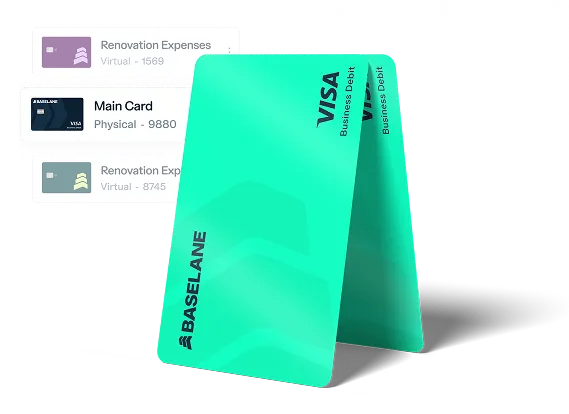
- Property-specific banking: Receive rent payments for each property in your Baselane banking or external account.
- Security deposit accounts: Keep security deposits separate and track them easily within the platform.
- Automated bookkeeping: Tracks and categorizes rental income and expenses automatically.
- Customizable tax reports: Download tax-ready income statements, transaction ledgers, and captured receipts.
- Multi-property management: Easily track payments and financials across multiple properties and units.
- Dedicated Customer Support: Get expert assistance from Baselane’s support team for any issues or questions.
Pricing
Baselane is free to sign up for investors. There are no account opening fees, monthly fees, minimum balance requirements, or inactive account fees.
Baselane pros and cons
Buildium
Best for: Professional landlords handling larger rental portfolios who don’t mind paying premium pricing.
Buildium is a property management platform for professional investors with large portfolios. It also has a mobile app for managing rental properties.
Unlike free rent payment platforms, Buildium requires a paid account and may not be ideal for investors managing a handful of properties.
Key features
- Dedicated tenant portal allowing recurring payments
- Payment reminders to tenants
- Supports ACH, debit/credit card, e-checks, and cash payments
- eSignature available ($5 per eSignature)
Pricing
Buildium offers three pricing plans, with the cost increasing based on the number of features:
- Essential Plan: Starts at $62 per month
- Growth Plan: Starts at $192 per month
- Premium Plan: Starts at $400+ per month
The more features you need, the higher the monthly cost.
Buildium pros and cons
Appfolio
Best for: Property managers managing large portfolios (50+ units).

AppFolio is a property management platform with a native rental property payment system designed for property managers managing 50+ units. It bundles online rent collection, leasing, maintenance, accounting, and reporting into one platform.
Appfolio key features
- Tenants pay via AppFolio’s portal using eCheck/ACH, debit, or credit card
- Supports split rent payments via Flex Rent
- 24/7 basic support available (with core plan)
- Customizable interface
Appfolio pricing
Appfolio offers a custom plan based on the property type and number of units. There is a minimum spend and a 50-unit cap to access its starter plans.
Appfolio pros and cons
Avail
Best for: Landlords managing a few properties who need property listings and automated rent collection, but are willing to pay monthly fees for most features.

Avail is known for its rental listing features, but it also offers online rent collection, basic income tracking, and maintenance request management. As a Realtor.com owned platform, it caters to landlords who want a mix of property marketing and rent management tools.
Key features
- Automated late fee collection
- The rent analysis report is available at an additional cost
- Tenant screening and lease building
- Free rent receipt
- Allow tenants to pay rent via ACH, debit, or credit card
Pricing
Avail offers two pricing plans:
- Free: Limited features with basic rent collection and listings
- Unlimited Plus: $9 per month per unit for advanced tools and automation
Avail pros and cons
Yardi Breeze
Best for: Enterprise-size property management companies handling multifamily units.
Yardi Breeze is designed for mid-sized multifamily property managers who need advanced accounting tools, including accounts payable, general ledger controls, and vendor payment support. It also includes vacancy and prospect tracking.
Yardi Breeze is one of the priciest landlord rent payment methods available in the market.
Yardi Breeze key features
- Escrow and trust accounts for all properties
- Supports multiple payment options for rental properties (debit, credit card, and ACH)
- Maintenance request tracking
- Prepare and e-file 1099s
Yardi Breeze pricing
Plans start at $1 per unit/month.
Yardi Breeze pros and cons
TenantCloud
Best for: Owners managing multiple properties who are willing to pay for advanced features.
TenantCloud is a rent payment app for landlords managing multiple properties. It offers task management for maintenance issues, rent payments, and lease signing.
Key features
- Tenant chat and task management
- Maintenance and repair tracking
- Late rent notice
Pricing
TenantCloud offers four pricing plans and a 14-day free trial:
- Starter Plan: $15/month ($198 billed annually)
- Growth Plan: $29.17/month ($385 billed annually)
- Pro Plan: $50.00/month ($660 billed annually)
- Business Plan: Custom Pricing
Tenant Cloud pros and cons
Rentec Direct
Best for: Investors and property managers who want flexible rent payment options, including cash payments.
Rentec Direct is another property management software that offers electronic rent payment options. Landlords can charge tenants full or partial transaction fees for rent payments made by debit or credit card.
Tenants can also pay rent in cash through the PayNearMe network for $4.99 per transaction. However, this service requires a $200 setup fee and a commitment of at least ten monthly cash payments.
Key features
- Tenant portal available
- Option to receive same-day rent payment
- Customizable income and expense reports
Pricing
The plans start at $45 per month for 1 unit. You also get a 14-day free trial. Pricing can go as high as 4,500+ per month, depending on the number of units.
Rentec Direct pros and cons
Apartments.com
Best for: Investors who want a rental listing service that also includes basic rent collection and passes all processing fees to tenants.

Apartments.com offers rental listing services, but it also has a basic rental property payment system, lease creation, and maintenance request management features.
It’s a good option for landlords who want a listing and rent collection tool, but it does include tenant transaction fees.
Key features
- Send automatic payment reminders via email to tenants
- Add multiple tenants to one rent setup and allow auto or manual payments
- Automatic late fees charges
- Tenant screening service
- Rental application form
Pricing
Apartments.com is free for landlords. However, tenants who pay rent by debit card, credit card, or Google Pay will incur a 2.75% transaction fee.
Apartments.com pros and cons
Flex
Best for: Small investors whose tenants need flexible rent payments, especially split payments.
Flex is an online rent payment system that gives tenants more payment flexibility. Instead of paying rent in full at the start of the month, residents pay Flex in two payments, while Flex pays the landlord in full and on time every month.
However, it lacks basic property management features such as maintenance tracking, tenant screening, and landlord banking.
Flex key features
- Guarantees the full rent amount on the specified date
- Builds credit history for renters
- Integration with all major property management software
Flex pricing
Flex doesn’t charge property owners any direct fees to use their platform.
Tenants pay a $14.99 monthly membership fee for its rent payment service. Additional fees apply based on the payment method:
- Debit card payments: 1% fee per bill payment (no extra card processing fees).
- Credit card payments: 3.5% total fee for both bill payment and card processing.
Flex pros and cons
PayPal
Best for: Landlords who need one-time rental payments or have informal rental agreements.
PayPal is a widely used online payment platform that allows users to send and receive money. Landlords can use it as a digital rental method, but it’s not specifically designed for property management.
Payments can be deposited into a bank account within 3-5 days for free, or you can pay a 1.5%-1.75% fee for instant transfers. While convenient, PayPal lacks the automation and financial tracking tools available in dedicated rent payment platforms.
Key features
- Request payments with a PayPal link
- Payments are deposited into your PayPal account
- Instant transfers between PayPal and bank accounts (1.5%-1.75% fee)
Pricing
- Transaction fees: For rent payments processed through a PayPal business account, the standard fee is 2.99% + $0.30 per transaction.
- Instant transfer fee: If you opt for instant transfers to your bank account, PayPal charges an additional 1.5%-1.75% fee.
PayPal pros and cons
Venmo
Best for: Investors with only one or two properties who don’t mind handling rent collection manually.
Venmo is a mobile payment app that is used as an alternative rent payment method. It’s a simple option for landlords with one or two properties who prefer to handle rent payments manually.
While funds appear in your Venmo wallet instantly, landlords must manually transfer rent payments to their bank account (which can take 1-3 business days).
Key features
- Easy sign-up process
- Instant rent payments to your Venmo wallet
- Mobile-friendly interface
- Send and request money from tenants added as ‘Venmo friends’
Cost
Tenants can send rent payments using their Venmo balance or a linked bank account for free. But you’ll need to manually transfer funds to their bank, which takes 1-3 business days. If you need rent money instantly, Venmo charges a 1.75% instant transfer fee (with a minimum fee of $0.25 and a maximum of $25).
Venmo pros and cons
Zelle
Best for: Property owners managing a small number of units who trust their tenants to pay on time and don’t need automated rent collection.
Zelle is a peer-to-peer payment service that serves as a free rent payment system. While it’s a quick and free option for rent payments, it comes with transfer limits (typically $1,000 per day and $5,000 per month).
Unlike dedicated rent collection platforms, Zelle doesn’t offer fraud protection or refunds if money is sent to the wrong person.
Key features
- Free online rent payment for landlords
- Instant payment notifications
- Fast transfer of funds (between supported bank accounts).
Pricing
Zelle itself doesn’t charge fees for sending or receiving rent payments. Some banks or credit unions may charge fees for Zelle transactions.
Zelle pros and cons
15 common questions to answer before choosing a rent payment system
Here are common questions you should ask before choosing a rent payment platform.
General suitability and features
- Does this system cater to the size of my portfolio?
Small landlords may prioritize simplicity, while larger portfolios may require advanced features.
- What payment methods does the system support?
Consider options like debit cards, credit cards, ACH transfers, and digital wallets.
- Is the platform user-friendly for both my tenants and me?
Ease of use can significantly impact tenant adoption rates.
- Does the system allow for recurring rent payments?
Recurring payments reduce late payments and improve cash flow consistency.
- Can the system handle multiple properties and units effectively?
Look for scalability if you plan to expand your portfolio.
Automation and integration
- Does the system integrate with my property management software?
Integration can streamline operations by consolidating lease tracking, maintenance, and rent collection.
- Does it offer automated reminders for rent due dates?
Automation can save time and ensure tenants stay informed.
- Can the system generate detailed reports for tracking and tax purposes?
Detailed reporting helps with financial planning and compliance.
Tenant preferences and flexibility
- Is the system compatible with mobile devices and apps
Tenants are more likely to pay on time if they can use mobile-friendly solutions.
- Does the system offer flexible payment options for rental properties?
Consider systems that allow split payments or installment plans to cater to tenant needs. Also check wire transfer limit or debit/credit and ACH fees
- How easy is it for tenants to set up and use?
A complicated setup process may deter tenants from adopting the system.
Security and compliance
- Is the system secure and compliant with relevant financial regulations?
Ensure it uses encryption and adheres to standards like PCI DSS for payment security.
- Does it provide reliable record-keeping for legal and tax purposes?
Accurate records are essential for audits and resolving disputes.
Costs and fees
- What are the costs associated with an electronic rent payment systems?
Look for transaction fees, subscription fees, or hidden charges that might affect profitability.
- Can I pass transaction fees onto tenants, or do I need to absorb them?
Some systems allow landlords to add convenience fees for tenants paying by credit card.
Best rent payment systems by portfolio size
Best rent payment systems for small landlords (1–10 units)
Investors with smaller portfolios prioritize low fees, ease of use, and digital rent payment options. A strong online rent payment system at this scale should offer free ACH transfers, autopay, instant receipts, and payment tracking without enterprise pricing.
Best rent payment systems for medium portfolios (10–50 units)
At this scale, automated rent payment systems need recurring rent payment automation, late-fee rules, bulk tracking, and reconciliation tools. Rent payment processing speed and reporting accuracy become critical operational factors.
Best rent payment systems for large portfolios (50+ units)
Large-portfolio investors require the best online rent payment systems that combine automation, bank integration, and audit-ready reporting. Scalability, data security, and recurring rent payment automation are non-negotiable.
How to set up a rent payment system for rental properties
Here’s how to set up a rent payment system for rental properties:
Evaluate your rent collection need
The median U.S. landlord owns just 2 properties, and 70.2% of rental properties are owned by individual investors. Most U.S. landlords own small rental portfolios, so they don’t need overly complex or expensive property management software.
At the same time, they also can’t afford to lose time or money by sticking to outdated payment methods and bookkeeping headaches.
Choose the right platform
It’s best to choose a rent payment system that automates payments, offers payment tracking, and keeps rent collection organized to save hours each month.
Set up the rent collection system
Once you’ve chosen a rent payment platform, setting it up is the next step. Most systems follow a simple process:
- Create an account: Sign up with your chosen platform and verify your identity.
- Link a bank account: Connect your existing bank account or set up a dedicated rental income account for better financial tracking.
- Add properties & tenants: Input property details and invite tenants to set up payment preferences.
- Customize payment settings: Choose how you’ll accept payments (ACH, credit/debit card, or digital wallets) and whether to apply late fees or automatic reminders.
Communicate with tenants
The next step is to inform tenants about your new rent payment system. Many renters already prefer paying rent online, but it’s still important to explain how the system works and highlight the benefits.
Monitor performance
Once the rent payment system is in place, it’s important to track its effectiveness. Landlords should review payment reports, check for late or missed payments, and ensure tenants use the system smoothly.
Collect more rent in less time with Baselane
Rent collection shouldn’t be hard. You shouldn’t have to remind tenants every month, guess when payments will clear, or stress about late fees. You need something that keeps rent flowing, tracks every dollar, and handles the details automatically.
That’s what Baselane’s rent management system does. It automates rent collection, track rental payments, and puts your cash flow on autopilot. Rent paid on time, every time. Switch to Baselane today and make rent collection effortless.




FAQs
Which online rent payment system is easiest for tenants?
The easiest system offers mobile payments, saved payment methods, autopay enrollment, instant receipts, and both ACH and card options. Fewer steps mean fewer missed payments.
Which online rent payment system is most reliable?
Reliability depends on predictable ACH funding times, automated receipts, fraud protection, and transparent dispute handling. Look for platforms with bank-level encryption and established processor partnerships.
What options exist for automatic recurring rent payments?
Most online rent payment systems offer autopay via ACH or debit card. Tenants enroll once, and payments run monthly with automatic receipts and late-fee triggers if a payment fails.
What are the common fees associated with online rent payments?
Fees vary by method: ACH is typically $0–$2, debit cards are 1–2.75%, and credit cards are 2.75–3.5%. Some platforms also charge monthly subscription fees. Compare whether fees fall on you or the tenant.
Can you pay rent with a debit card through online systems?
Yes. Most electronic rent payment systems accept debit cards, though convenience fees apply. ACH is usually the lowest-cost option for tenants who want to minimize per-transaction fees.
What platforms support partial rent payments and tracking?
Some rent payment platforms allow partial or split payments with automated tracking. These systems record payment history and apply late fees to outstanding balances. See our guide on split rent payment apps.
How do investors set up automatic rent payments?
Choose a rent payment system, enable recurring payment schedules, set due dates and late-fee rules, and invite tenants to enroll in autopay through the secure portal.
What is the safest way to automate tenant rent payments?
Use a rent payment platform with end-to-end encryption, fraud monitoring, and established processor partnerships (e.g., Stripe, Plaid) rather than peer-to-peer apps that lack audit trails.
How fast are online rent payments processed?
ACH payments typically take 2–5 business days. Debit and credit card payments may process faster but carry higher fees. Some platforms offer expedited 1–2 day ACH for an additional fee.
Is there a free online rent payment system for landlords?
Yes. Baselane offers free ACH rent collection for investors with no monthly software fees. See the full comparison of free rent collection software.
What features should investors look for in rent payment software?
Autopay, payment reminders, automated receipts, late-fee rules, payment tracking, property-level reporting, and secure bank transfers. Integrated bookkeeping is a significant time-saver at 5+ units.
What is the difference between a rent payment portal and a rent payment app?
A rent payment portal is typically web-based with tracking, reporting, and financial management tools. An app focuses on mobile payments. The strongest platforms combine automation and ledger integration.